My Service Items
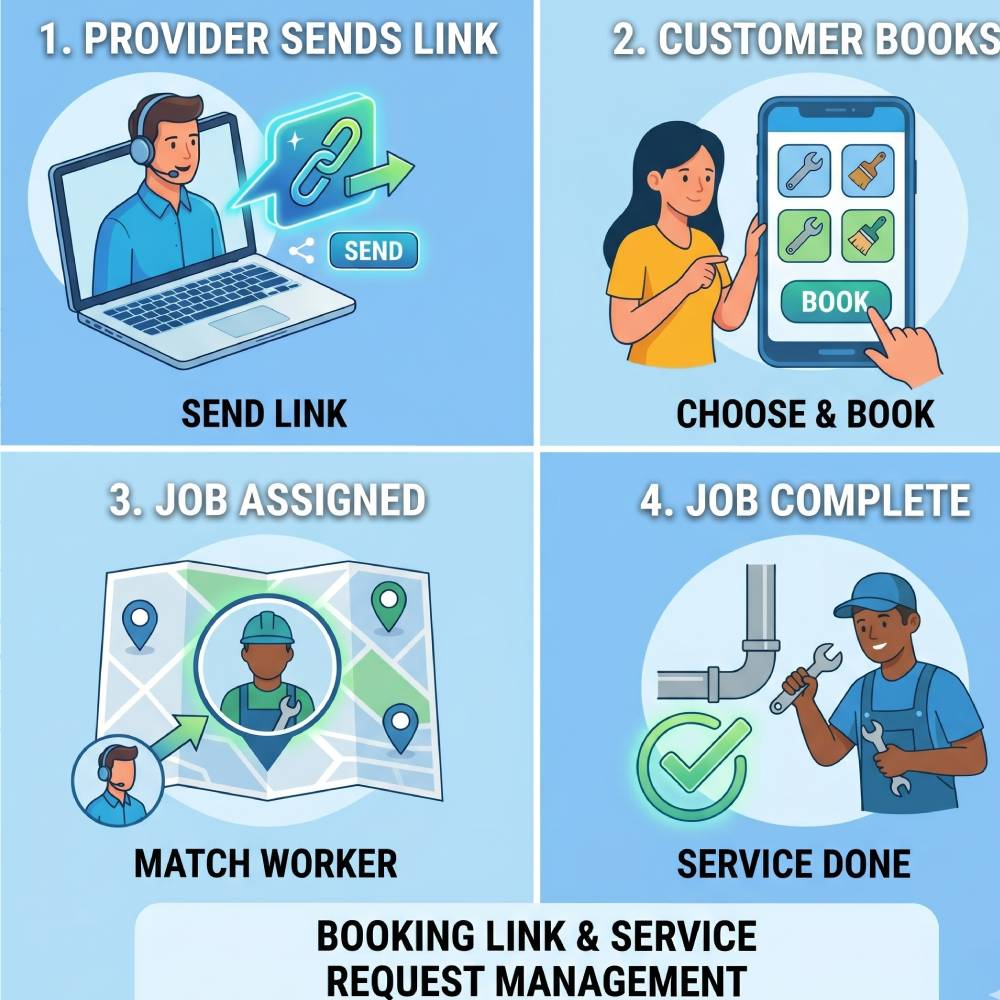
Share A Booking Link And Manage Service Requests
OverFloPro GENIUS allows providers to share their public booking link with customers. Customers can open the provider link, view available services, select what they need, and submit the booking directly from the website or app.
After the booking is placed, the provider can assign the selected service to a suitable worker. The assigned worker then visits the customer or service location and updates the job progress until completion.
How Provider Booking Works
A clean flow for providers who want direct customer bookings and controlled worker assignment.
Share Link
Provider sends a public booking link through WhatsApp, social media, or direct message.
Customer Books
Customer opens the link, reviews provider services, and submits the selected service request.
Assign Worker
Provider assigns the right worker based on service type, area, and availability.
Complete Service
Worker performs the service and updates the request status through completion.
What Providers Can Manage
The provider page should clearly explain how providers handle bookings, workers, and customer communication.
Promote Services
Share one provider link so customers can see services and place bookings directly.
Assign Team Members
Choose the right worker for each booking based on selected service and availability.
Track Operations
Monitor service status, completed requests, and active work from one organized flow.
Benefits
Value for providers who grow their network and customers who book with confidence.
Benefits of Being a Provider
Earn 30% for referring workers' business. Passive Income!
Benefits for Customers
Getting The Pros Pick! This will guarantee customers receiving the perfect worker!
Manage bookings, workers, and service requests anywhere.
Share your provider link, review customer bookings, assign workers, manage service progress, and keep your business workflow organized from your phone.


